
Two-Way Sync PrestaShop - Shelf Planner
Live Synchronisation
Product Meta Data
There is a live synchronisation between your store and the app for the following measures and values:
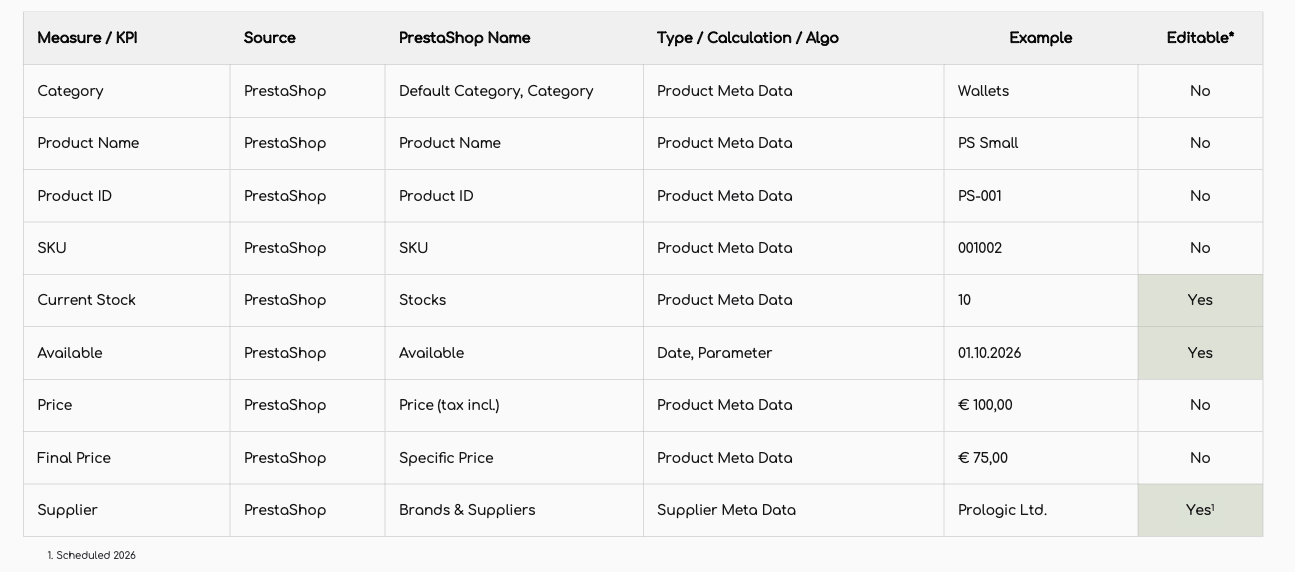
Whenever any of these values are updated a synchronisation starts immediately to update the data.
Refresh Product Data
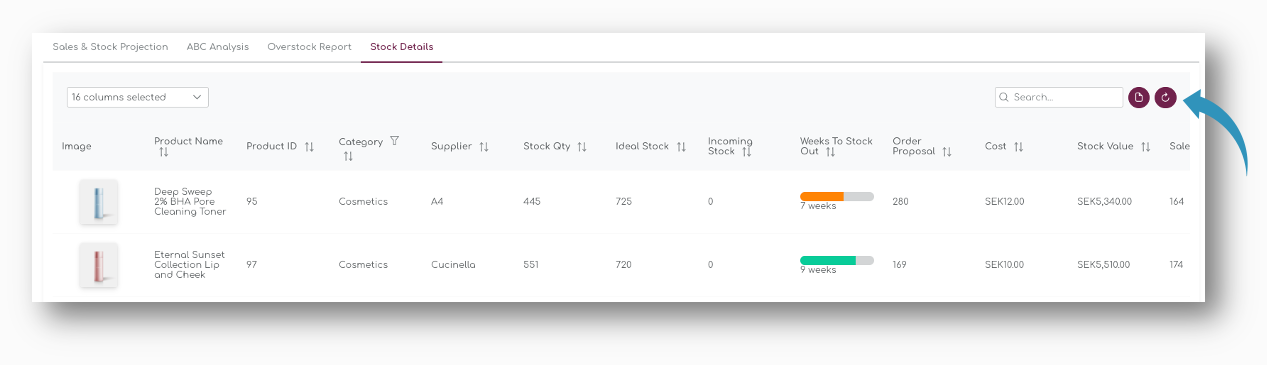
It can happen that there is a minor lag between your store's server and the app. In that case, you can simply refresh the page or refresh the tables with the refresh buttons on top of the tables:
Two-Way Sync
From the Shelf Planner app you can write back stock quantity and the Manage Stock settings information.
Stock Quantity
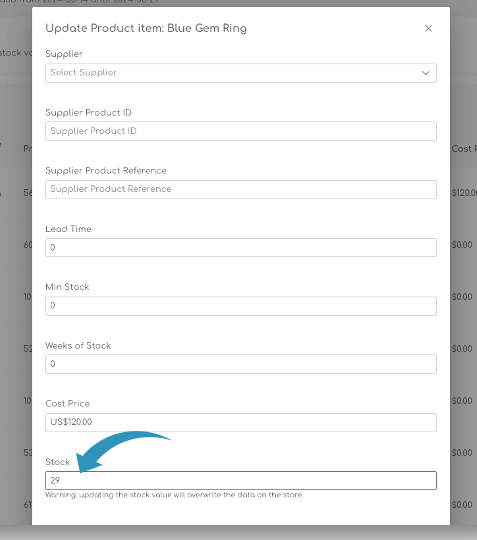
In the Update Product pages, changing the Stock quantity will automatically update the stock quantity in your store:
Stock is also updated when you confirm a purchase order:
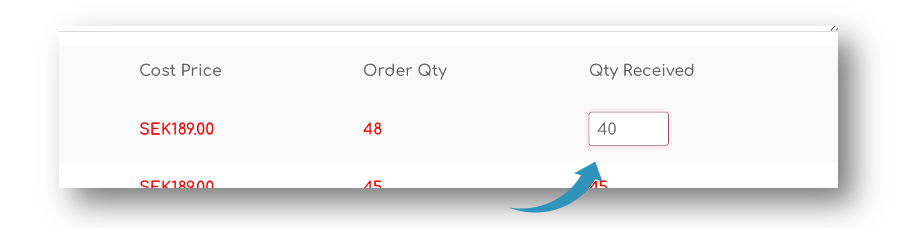
The Quantity Received ads the stock units to the stock you have currently on hand in your store.
How to disable the 2-way sync
Shelf Planner uses a so called 2-way sync between your store and the app for stock quantities. This is to make sure you always have the latest stock quantity when making purchase order decisions.
If you want to disable the two way sync, you can do this on the Replenishment Settings page in the Procurement section:
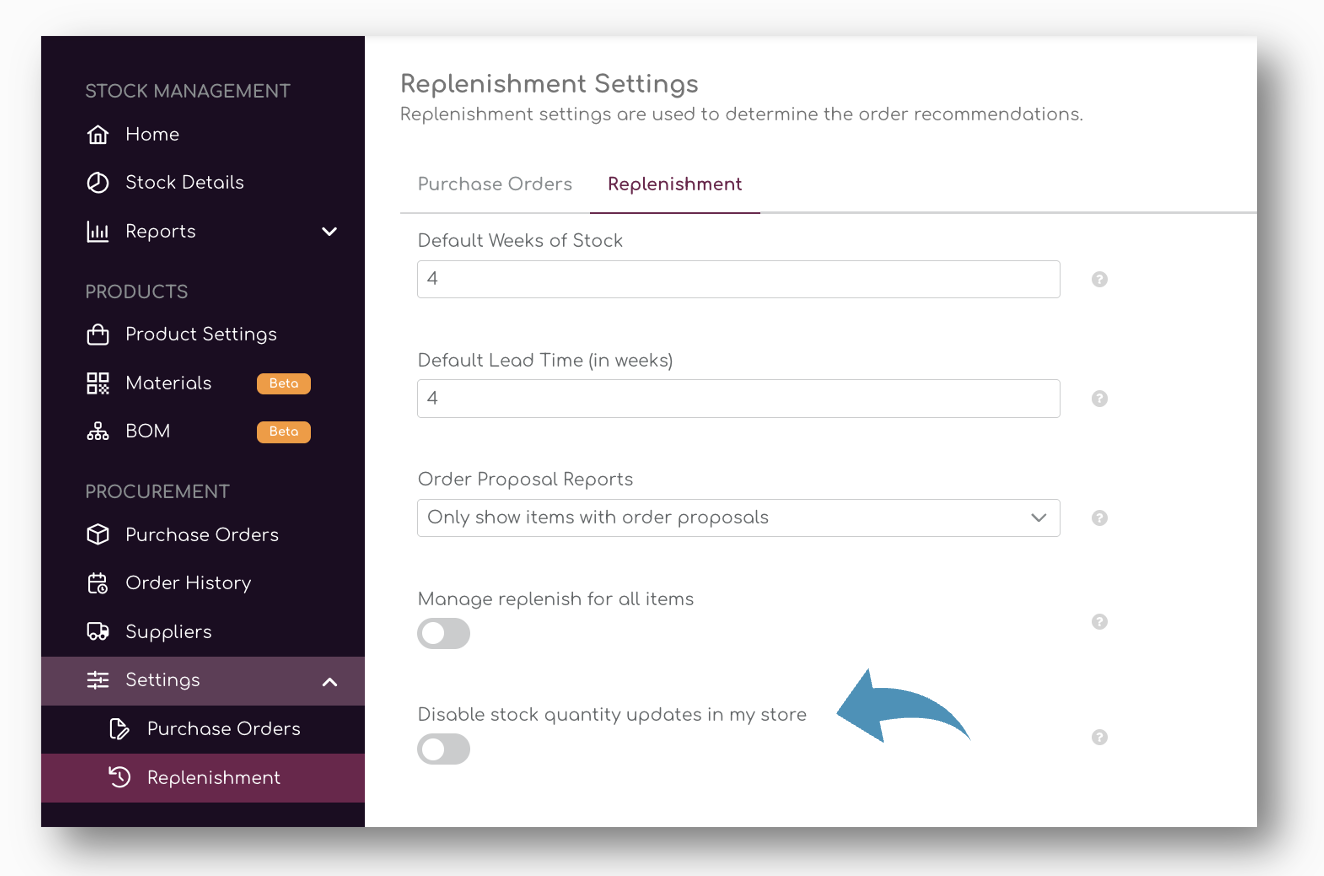
If you don't wan to update store stock from Shelf Planner back to your store, you can tick the button to disable the synchronization:
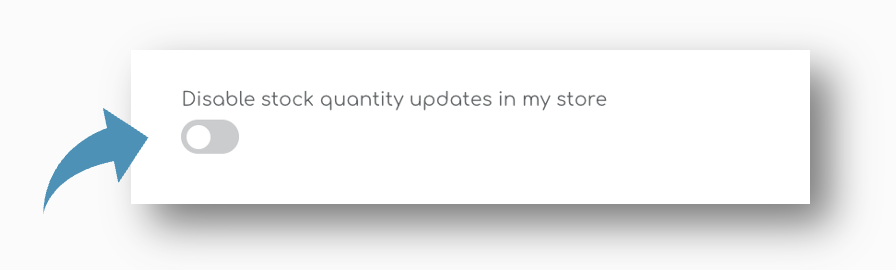
When the tick box is activated, Shelf Planner will no longer update changes to stock quantities in your store.